Your order writes itself from what the shelf needs.

SalonScale watches your stock against the targets you set, builds the list of what to reorder, and turns it into an order sheet you can send to your rep, take shopping, or use to order online.
Book a demo
Talk to a SalonScale expert
Get started

Find your SalonScale plan

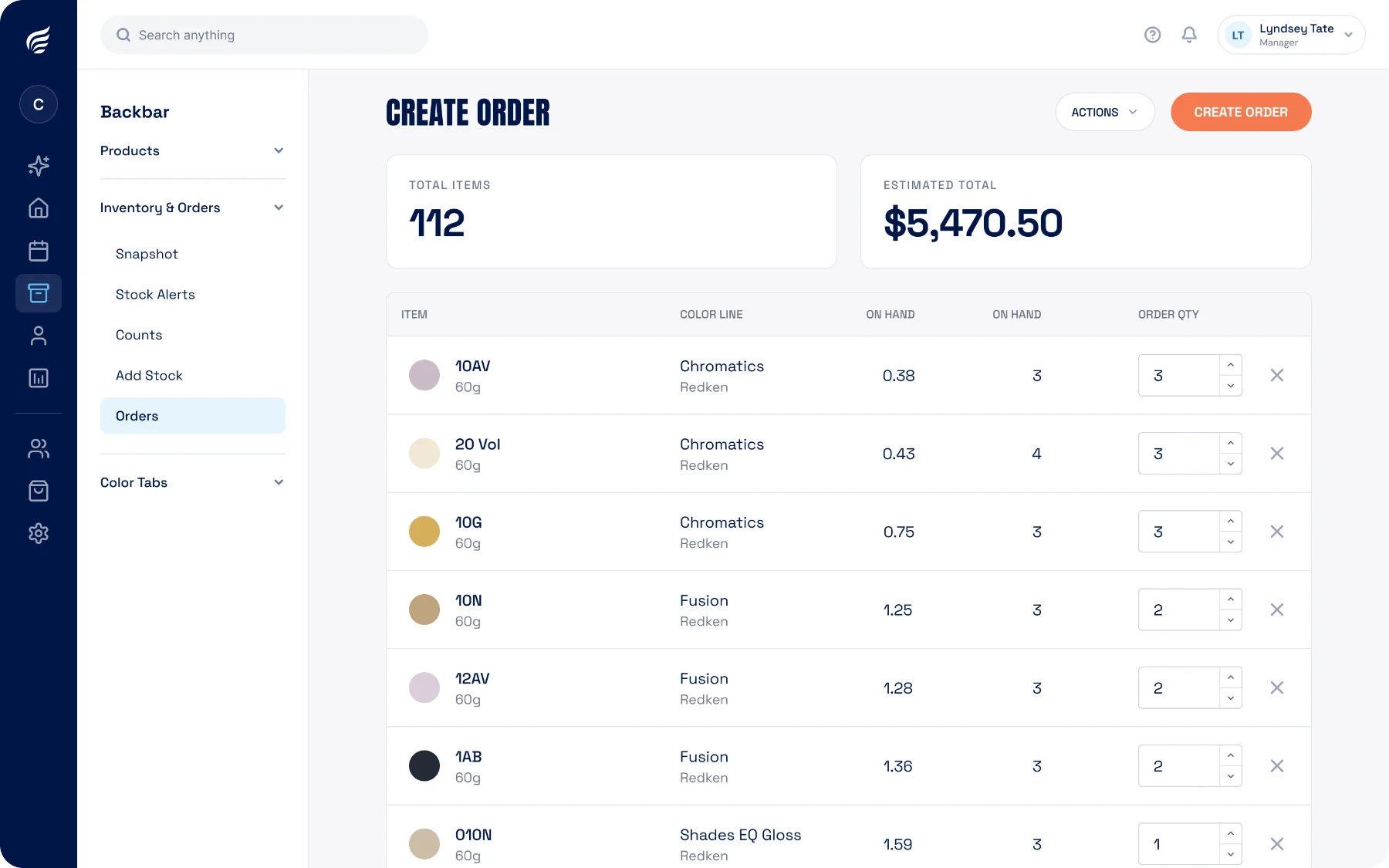
Creating a product order in SalonScale from current stock levels
Next order, ready to send
$5,470.50 · 112 items
What to order

The list builds itself

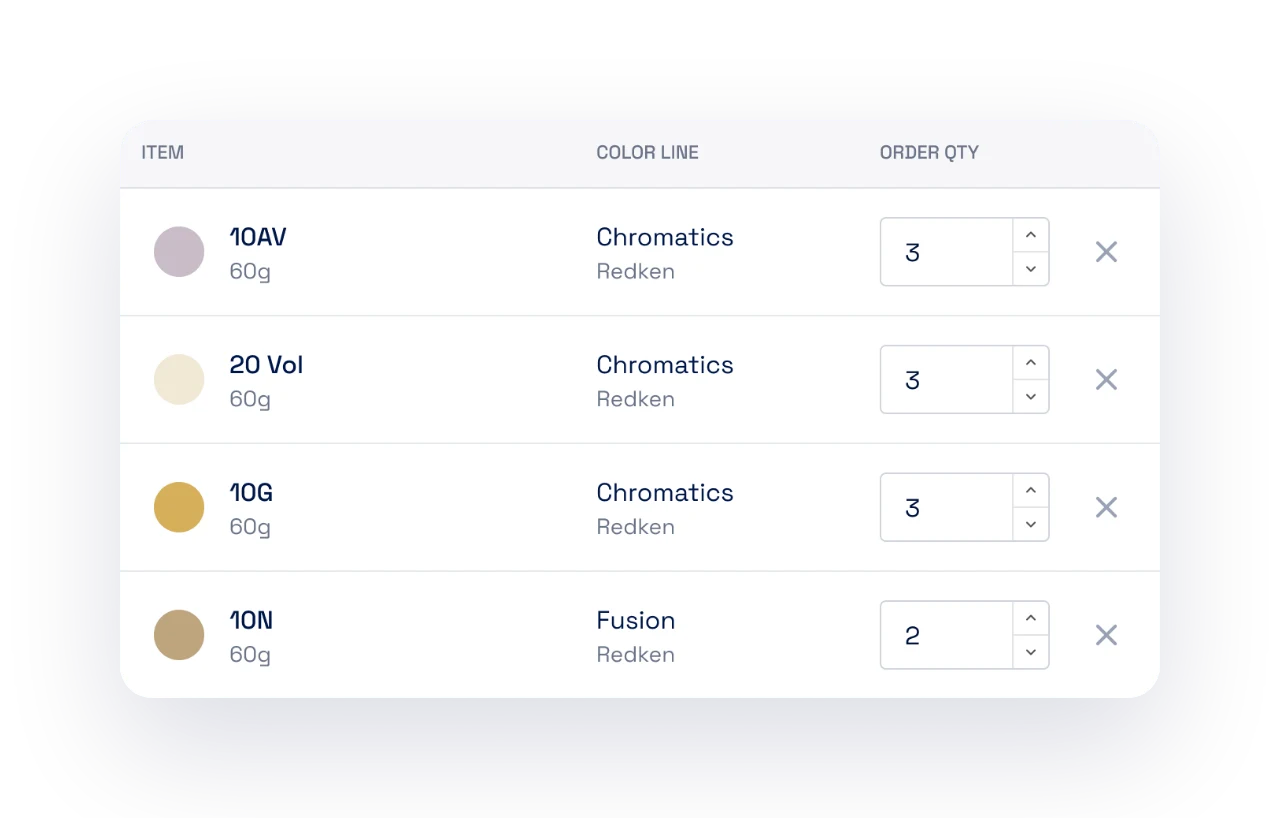
As you weigh, stock falls against the target you set for each product. Anything short lands on the reorder list with the quantity that brings it back up, so the order reflects what you actually used.

Review it before you send. Add, remove, or change a quantity if you know something the shelf does not.

Reorder list building itself from stock levels in SalonScale
Sending it

One sheet, however you order

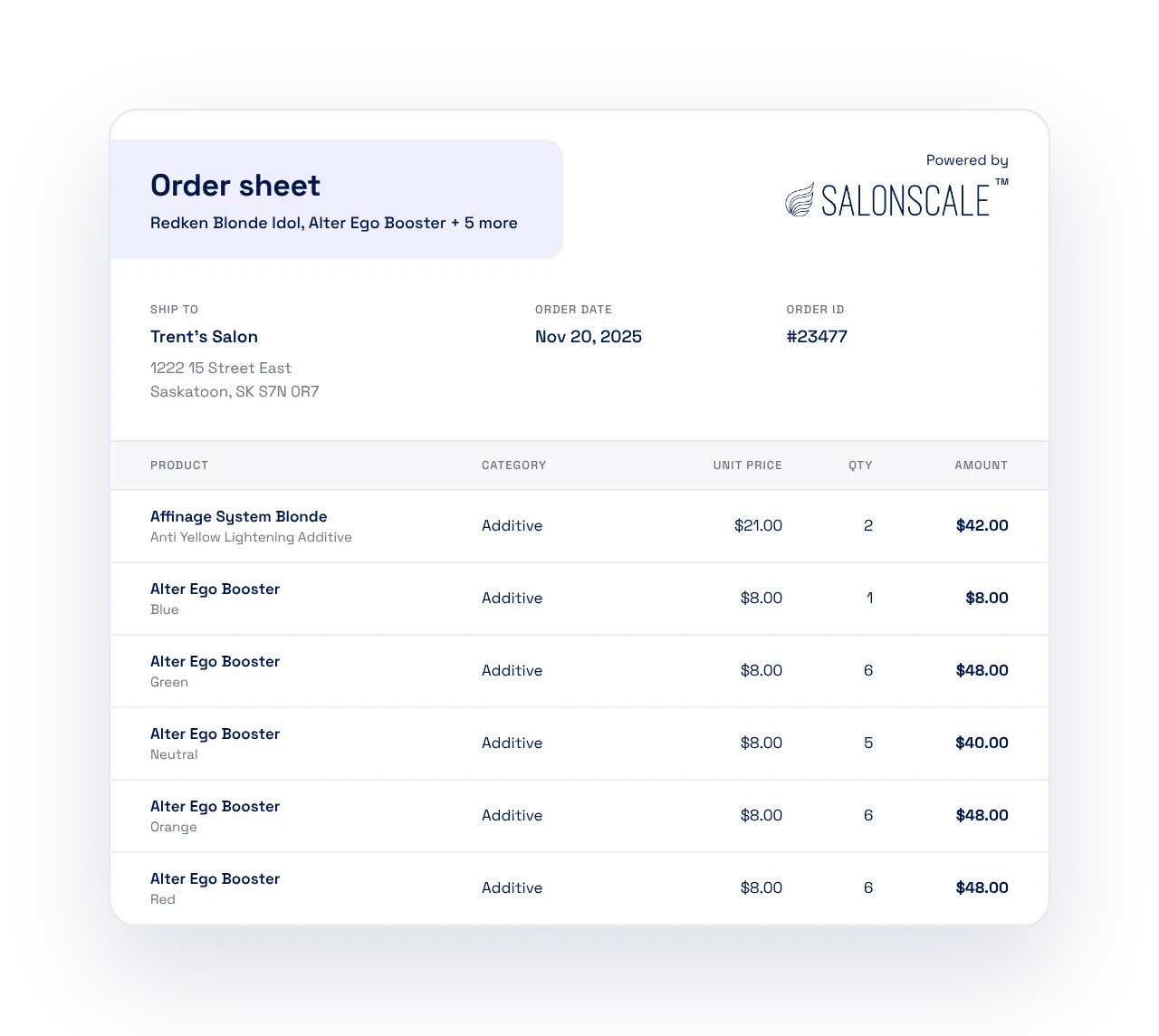
Generate the order sheet with every product, shade, and quantity in one list, plus what it will cost you before you commit. Send it to your rep, print it for a supply-store run, or use it to fill your cart on your distributor’s website.

You keep your own suppliers and your own pricing. SalonScale builds the order; you place it.

Itemized order sheet ready to send to a distributor rep
When it arrives

Receive it and stock goes back up

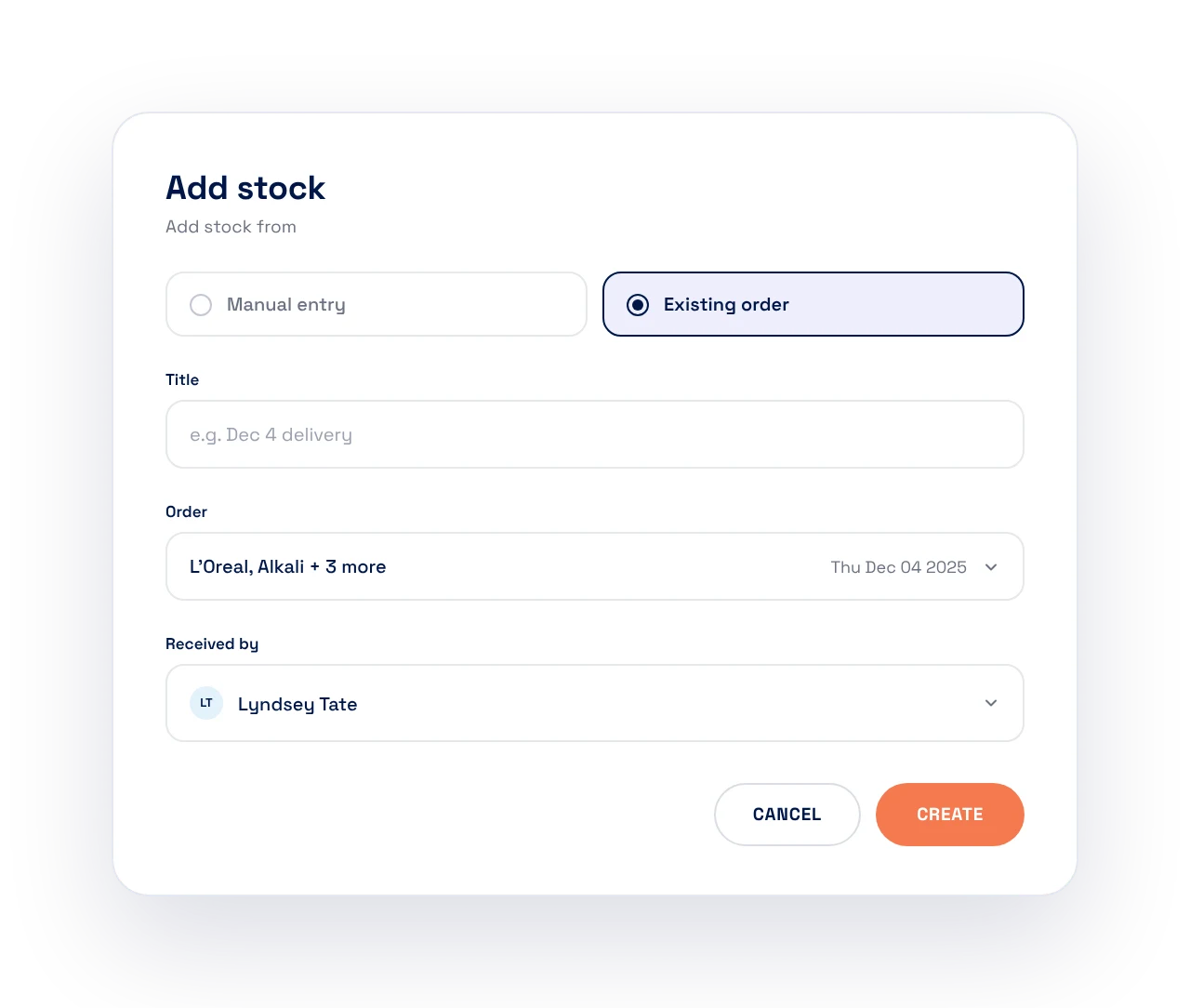
Check the delivery in against the order. Anything short-shipped or substituted gets adjusted as you go, so what the app shows is what came through the door.

Received quantities update your stock levels straight away, and you are back to a shelf you can trust without a second count.

Receiving a delivery in SalonScale to update stock levels

Common questions

How does SalonScale know what to order?

It compares what is on the shelf against the target level you set for each product, and adds anything short to the reorder list with the quantity that brings it back up.

Can I change the list before I send it?

Yes. Add products, remove them, or change any quantity. The sheet is a starting point, not a rule.

What does the order sheet look like?

An itemized list of products, shades, and quantities with your cost. Send it to your rep, print it and take it shopping, or use it to order through your distributor’s website.

Do you order the product for me?

No. You keep your own suppliers and pricing, and you place the order the way you do today. SalonScale just takes out the manual work: no counting shelves, no guessing quantities, no building the list by hand.

What happens when the order arrives?

Receive it in the app and stock levels go back up, so the count stays right without a second inventory.

Where do the target levels come from?

You set a target for each product: how much you want on the shelf when the week starts. Change it any time to carry more through a busy season and less after it.

Does this work across multiple locations?

Yes. Each location has its own targets, stock, and order sheet, and owners can see them side by side.

Keep exploring

A few more features worth a look.

Order what the shelf actually needs.

Book a demo and we will build an order off your own stock.

Book a demo
Talk to a SalonScale expert
Get started

Find your SalonScale plan