Every line, every shade, every dollar.

Product, stylist, and service reports that show what’s really happening in your salon, so every business decision and coaching conversation starts with real numbers.

Book a demo
Talk to a SalonScale expert
Get started

Find your SalonScale plan

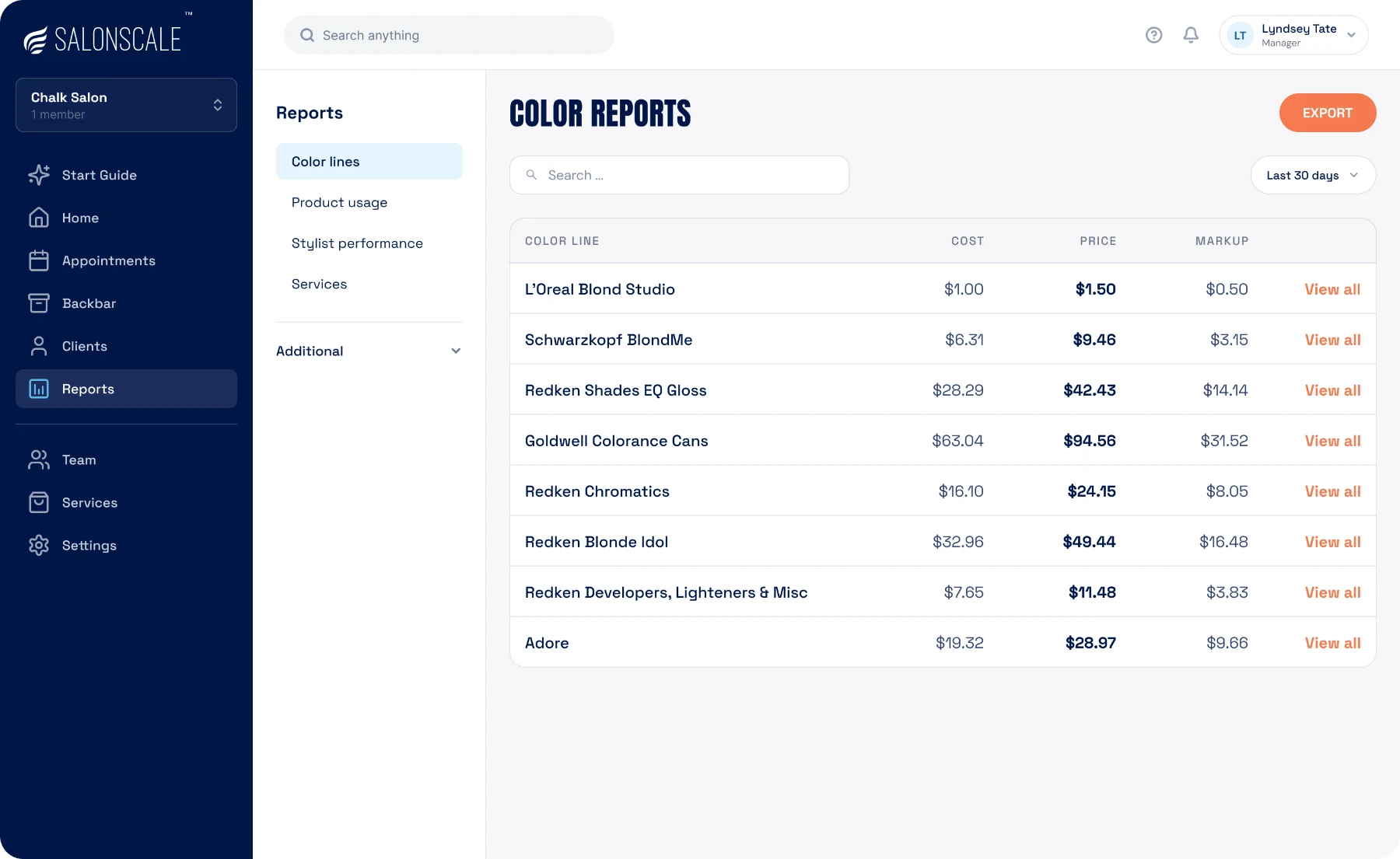
SalonScale color reports comparing spend across color lines
Color lines · last 30 days
$87.33 · 8 color lines
By product or line

Which products and lines earn their shelf space

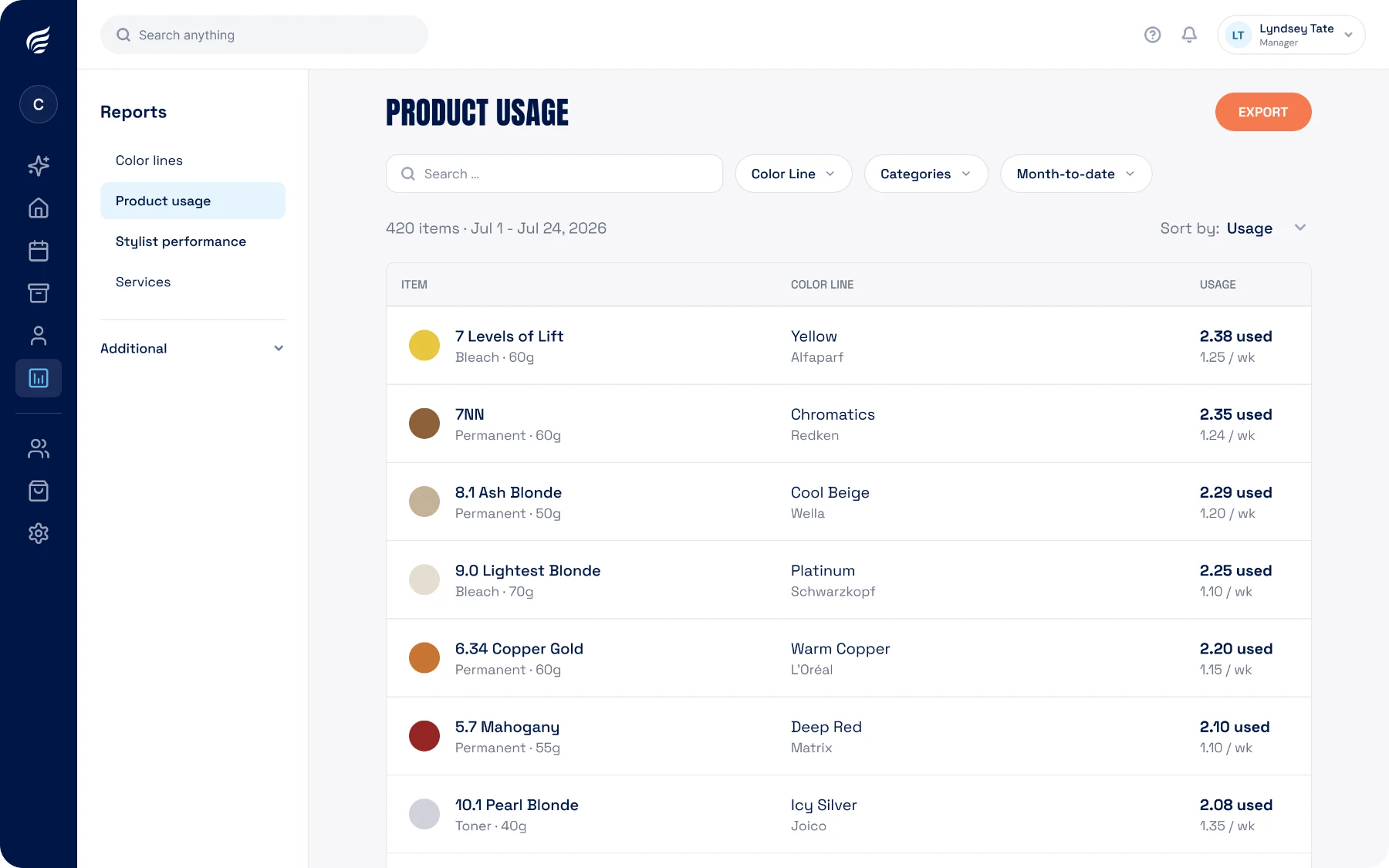
See how much of each product you use, and what each color line cost you against what you charged for it. Open any line to see the shades inside it.

Compare one month to the next and the seasonal shifts show up: more lightener heading into summer, more deep shades and glosses once fall sets in. Stock up ahead of the swing instead of reacting to it.

Product usage report by product and color line in SalonScale
By stylist

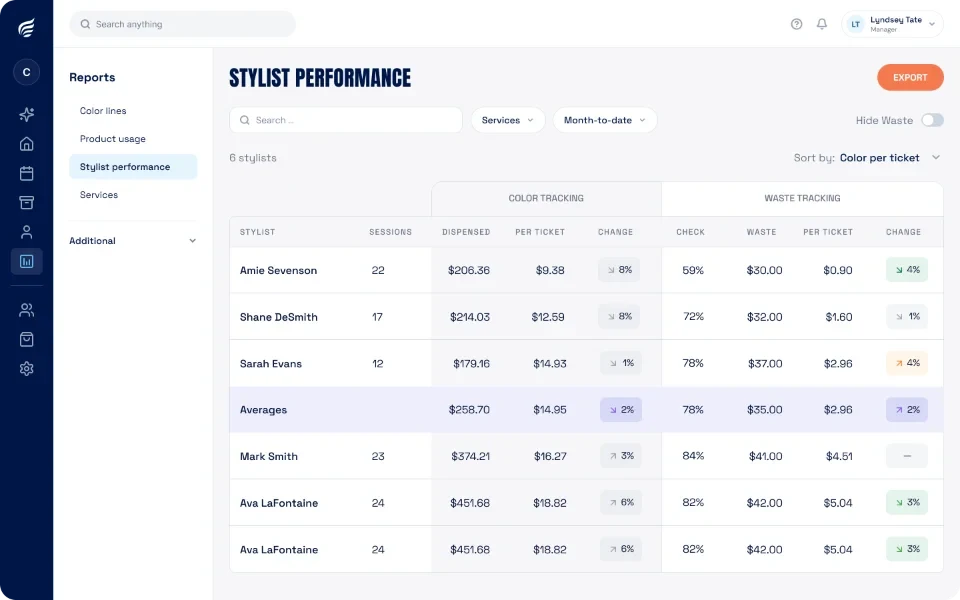
Compare stylists on the same terms

Average color cost per service, waste, and appointments for every stylist in one list, plus the lines and shades each one pulls from the shelf. Filter by service type so you are comparing foils to foils, and two people doing the same balayage should land close together.

Track one stylist month over month to see whether a conversation changed anything, or watch a new team member’s learning curve. Useful at review time, or when you are deciding who to train on a new line.
Color usage compared across stylists in SalonScale
By service

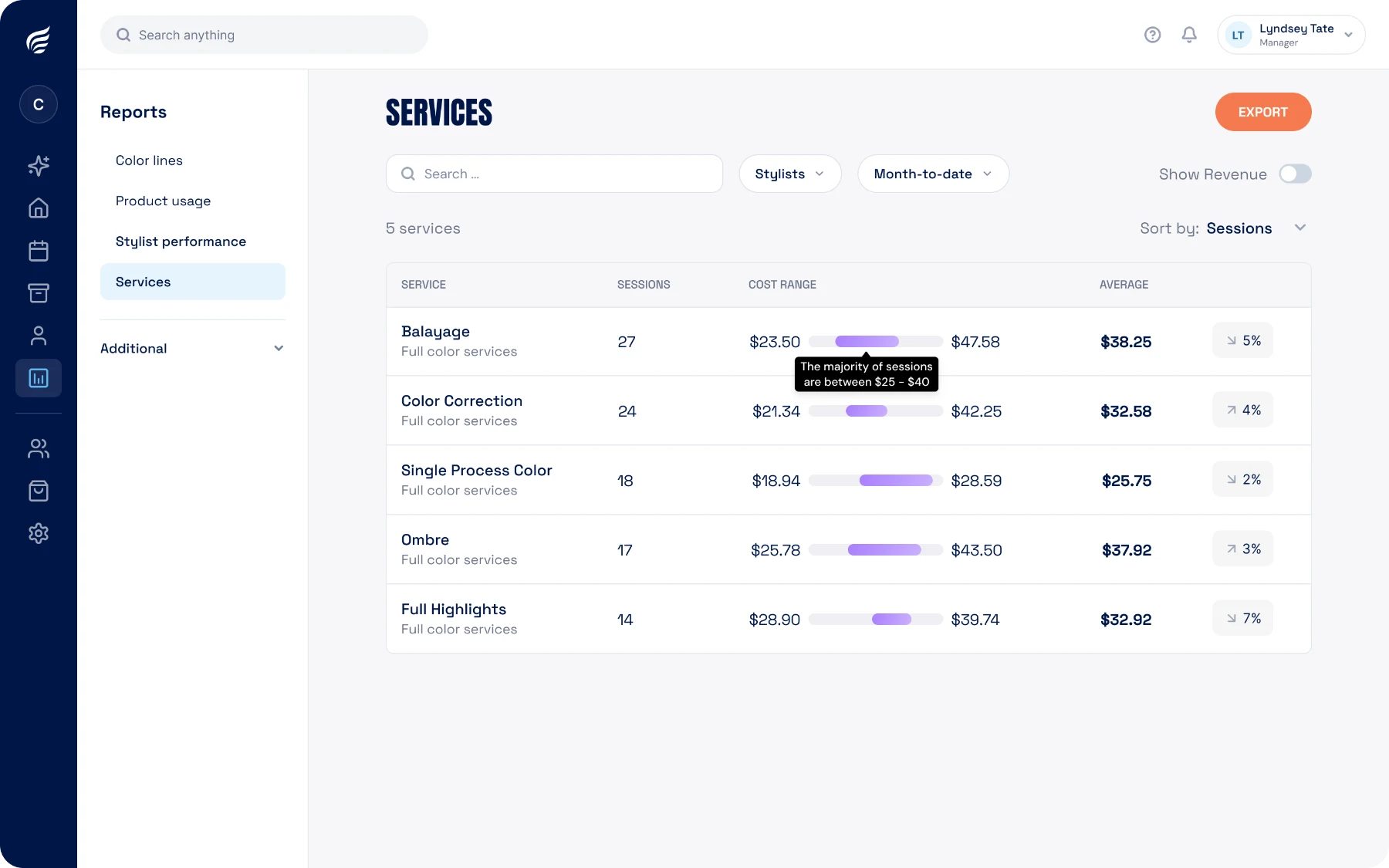
What each service takes to deliver

Average product cost for every service on your menu, measured across every one you have done. A root touch-up, a full head of foils, and a gloss each get their own real number.

You also see the spread, so you know whether a service is predictable or all over the map.

Average product cost for each service on the menu in SalonScale

Common questions

What reports are included?

Spend by product and product line, average cost by service type, cost per service by stylist, and usage over time. All of it comes from the appointments your team already logs.

How current are the numbers?

An appointment shows up as soon as it is closed, so today is in the report today.

Can I compare periods?

Yes. Compare week to week, month to month, or against the same period last year to see whether a change actually held.

Can I export the data?

Yes. Reports export so you can hand them to your accountant or work them in a spreadsheet.

Do stylists see these reports?

Yes. Numbers are shared across the salon, so stylists can see their own and the rest of the team's.

How far back does the history go?

Every appointment you have logged stays available, so the reports get more useful the longer you use them.

Does it work across multiple locations?

Yes. Report on one location or compare them side by side.

Keep exploring

A few more features worth a look.

Find the money in your backbar.

Book a demo and we will walk your own reports with you.

Book a demo
Talk to a SalonScale expert
Get started

Find your SalonScale plan